Firebase related
Tip
You are recommended to start with the CodeWithoutFirebase folder, first work on basic functionalities of your smart car.
Once everything is functioning well, you can proceed to the CodeWithFirebase folder (replace those files you have edited) to integrate Firebase functionalities of getting realtime examStates and traffic light status.
If you really want to set up the routes for your smart car without Firebase, you can hardcode some values for the examState and traffic light status.
Arduino Libraries Needed to be Installed
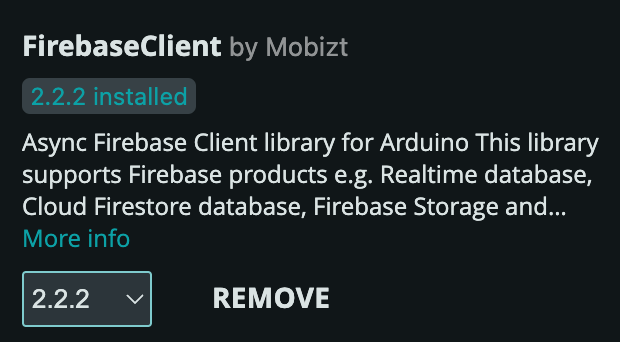
FirebaseClient (latest version >= 2.2)
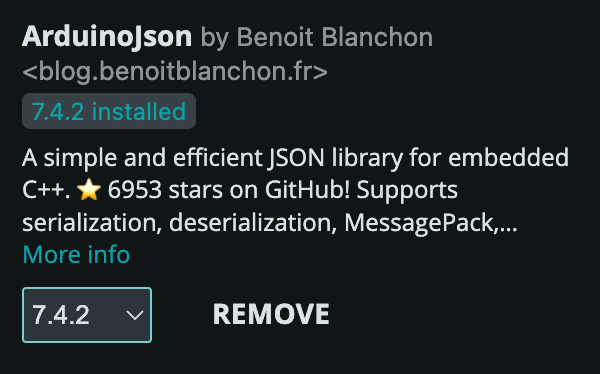
ArduinoJson (latest version >= 7.4)
Firebase configuration
In the config.cpp file
// TODO
// Demo config
const bool demoMode = false;
// Set to true to enable demo mode - to read from examStates data from /admin
// Set to false to read from /users/<uid>/examState when testing by yourself

// WiFi Configuration
const char WIFI_SSID[] = "ISDN2602_2G";
const char WIFI_PASSWORD[] = "isdn2602@iot";

// Firebase Credentials (Should already be there in the skeleton code)
const String API_KEY = "AIzaSyD***************";
const String DATABASE_URL =
    "https://isdn2602-control-panel-2025-default-rtdb.firebaseio.com/";
// TODO
const String UID = "your-uid";  // you can find it from the
                                // control panel site

//... Other configurations ...
Info
If you have not sign up an account on the control panel website, please checkout Control Panel page and follow the instructions there to do so.
- You need to input your user ID (obtained from the control panel website) to get the examState data from your own path
- During testing you should set the
demoModeto false to read under your own path with your user ID - Before the actual demo day of the final project, you should upload the code with
demoMode = truein order to receive the examState commands sent from the admin
Firebase related code explanation
Firebase components
/* Firebase Components */
FirebaseApp app;
WiFiClientSecure ssl_client1;
using AsyncClient = AsyncClientClass;
AsyncClient aClient1(ssl_client1);
RealtimeDatabase Database;
NoAuth no_auth;;
FirebaseApp app;- The main Firebase application instance, manages overall Firebase connections and authentication statesWiFiClientSecure ssl_client1;- Secure Wi-Fi client for SSL/TLS connections, required for Firebase communicationAsyncClient aClient1(ssl_client1);- Asynchronous client for Firebase operations, enables non-blocking requestsRealtimeDatabase Database;- Instance for interacting with Firebase Realtime Database, provides methods to read/write dataNoAuth no_auth;- No authentication instance (no need for email/password authentication in this case for faster and convenient access)
Firebase Tasks
Inside void setup()
void setup() {
    // ...
    // Other sensors initialization ...

    // Initialize the Wi-Fi Connection
    // LED blinking while connecting to WiFi
    WiFiManager::initialize();

    // Configure SSL clients
    ssl_client1.setInsecure();
    ssl_client1.setConnectionTimeout(1000);
    ssl_client1.setHandshakeTimeout(5);

    // Initialize Firebase Realtime Database
    initializeApp(aClient1, app, getAuth(no_auth), processData);
    app.getApp<RealtimeDatabase>(Database);
    Database.url(DATABASE_URL);
    Serial.println("FireBase Initialized");

    // ...
    xTaskCreatePinnedToCore(FirebaseMainTask, "Firebase Main Task", 8192, NULL, 1,
                          &FirebaseMainTaskTCB, 0);
    xTaskCreatePinnedToCore(FirebaseReadTask, "Firebase Read Task", 8192, NULL, 2,
                          &FirebaseReadTaskTCB, 0);

    // Other tasks initialization ...
    // ...

    vTaskDelay(10);

}
WiFiManager::initialize();- Establishes WiFi connection before Firebase can work, with LED indication during connectionssl_client1- Set up for insecure connection and timeouts for Firebase communicationinitializeApp(...)- Initializes the Firebase app with the provided async client, authentication method;processData- The callback function for handling Firebase responsesapp.getApp<RealtimeDatabase>(Database);andDatabase.url(DATABASE_URL);- Sets up the Realtime Database instance with the specified database URL defined in config filexTaskCreatePinnedToCore(Firebase ...)- Creates FreeRTOS tasks for handling Firebase main operations and reading data from the database
- Pin both tasks to Core 0 to separate Firebase from other operations and to enable WiFi stability
Firebase Main Task
/* Firebase Main Task */
StackType_t uxFirebaseMainTask[configMINIMAL_STACK_SIZE];
StaticTask_t xFirebaseMainTaskTCB;
TaskHandle_t FirebaseMainTaskTCB;

void FirebaseMainTask(void* pvPara) {
  while (true) {
    // Check WiFi connection first
    if (WiFiManager::isConnected()) {
    } else {
      Serial.println("WiFi disconnected, attempting to reconnect...");
      WiFiManager::reconnect();
    }
    // Handle Firebase tasks
    app.loop();
    vTaskDelay(pdMS_TO_TICKS(50));
  }
}
if (WiFiManager::isConnected()) {} else { ... }
- Continuously checks WiFi connection status
- Automatically attempts reconnection if disconnected
app.loop();
- Must be called regularly for Firebase to function
- Processes Firebase tasks, handles incoming/outgoing data
- Handles callbacks from async operations
Firebase Read Task
/* Firebase Read Task */
StackType_t uxFirebaseReadTask[configMINIMAL_STACK_SIZE];
StaticTask_t xFirebaseReadTaskTCB;
TaskHandle_t FirebaseReadTaskTCB;

void FirebaseReadTask(void* pvPara) {
  while (true) {
    // Check if authentication is ready
    if (app.ready()) {
      unsigned long currentTime = millis();
      // Periodic data reading every readInterval, but only if not busy
      if (currentTime - lastReadTime >= readInterval && !readingBusy) {
        lastReadTime = currentTime;  // Update the last read time
        readingBusy = true;          // Set busy before request

        // Debug - Log the request paths
        // Serial.println("Requesting exam state from: " + examStatePath);
        // Serial.println("Requesting traffic lights from: " +
        // trafficLightPath);

        Database.get(aClient1, examStatePath, processData, false,
                     "RTDB_GetExamState");
        Database.get(aClient1, trafficLightPath, processData, false,
                     "RTDB_GetTrafficLight");

        readingBusy = false;  // Clear busy after request
      }
    }
    vTaskDelay(pdMS_TO_TICKS(200));
  }
}
unsigned long currentTime = millis();
if (currentTime - lastReadTime >= readInterval && !readingBusy) { }
millis(): Current time since boot (in milliseconds)- Reads data at regular intervals (e.g., every 1000ms = 1 second)
readingBusyflag prevents overlapping requests- Avoids overwhelming Firebase with too many requests
aClient1: Async client to use for the requestexamStatePath: Database path (e.g.,/users/<uid>/examState)processData: Callback function to handle the responsefalse: Don't use Server-Sent Events (SSE) streaming"RTDB_GetExamState": Unique identifier for this request (used in callback)- Exam State: Current task assignment (start point, end point, field, etc.)
- Traffic Lights: States of all traffic lights (red, yellow, green, timing)
Firebase helper function
/* Firebase Data Processing Helper Function */
void processData(AsyncResult& aResult) {
  if (!aResult.isResult()) return;

  //   DEBUG - Log event, debug, and error messages
  // if (aResult.isEvent())
  //   Firebase.printf("Event task: %s, msg: %s, code: %d\n",
  //                   aResult.uid().c_str(),
  //                   aResult.eventLog().message().c_str(),
  //                   aResult.eventLog().code());

  // if (aResult.isDebug())
  //   Firebase.printf("Debug task: %s, msg: %s\n", aResult.uid().c_str(),
  //                   aResult.debug().c_str());

  //   if (aResult.isError())
  //     Firebase.printf("Error task: %s, msg: %s, code: %d\n",
  //                     aResult.uid().c_str(),
  //                     aResult.error().message().c_str(),
  //                     aResult.error().code());

  if (aResult.available()) {
    // DEBUG - Log the task and payload
    // Firebase.printf("task: %s, payload: %s\n", aResult.uid().c_str(),
    //                 aResult.c_str());

    DynamicJsonDocument doc(1024);
    DeserializationError error = deserializeJson(doc, aResult.c_str());
    if (error) {
      Firebase.printf("Failed to parse JSON: %s\n", error.c_str());
      return;
    }
    JsonObject obj = doc.as<JsonObject>();

    if (aResult.uid() == "RTDB_GetExamState") {
      examState.activated = obj["activated"].as<bool>();
      examState.start_point = obj["start_point"].as<int>();
      examState.end_point = obj["end_point"].as<int>();
      examState.field = obj["field"].as<String>();
      examState.task_id = obj["task_id"].as<int>();
      examState.time_remain = obj["time_remain"].as<int>();
      //  Debug - print the current exam state
      //   Serial.println("===== Exam State =====");
      //   Serial.println("Activated: " + String(examState.activated));
      //   Serial.println("Start Point: " + String(examState.start_point));
      //   Serial.println("End Point: " + String(examState.end_point));
      //   Serial.println("Field: " + examState.field);
      //   Serial.println("Task ID: " + String(examState.task_id));
      //   Serial.println("Time Remain: " + String(examState.time_remain));
    }
    if (aResult.uid() == "RTDB_GetTrafficLight") {
      JsonArray arr = doc.as<JsonArray>();
      // Debug - print each traffic light
      // Serial.println("===== Traffic Light States =====");
      // Parse traffic lights data
      // Light ID 1-4 are for final exam, ID 5 is for the testing field
      for (int i = 0; i < numTrafficLights + 1 && i < arr.size(); i++) {
        JsonObject light = arr[i];
        if (!light.isNull()) {
          trafficLights[i].id = light["id"].as<int>();
          trafficLights[i].current_state = light["current_state"].as<String>();
          trafficLights[i].time_remain = light["time_remain"].as<int>();

          // Debug - print each traffic light
          // Serial.printf("Light %d: id=%d, state=%s, time_remain=%d\n", i,
          //               trafficLights[i].id,
          //               trafficLights[i].current_state.c_str(),
          //               trafficLights[i].time_remain);
        }
      }
    }
  }
}
Result validating
- Checks if callback contains actual data
- Returns early if called for non-data events
Error checking
(For debugging purposes - commented out by default)
isEvent(): Firebase connection eventsisDebug(): Debug messages from FirebaseisError(): Authentication or network errors
JSON parsing
- Creates a JSON document to hold parsed data
- Parses the raw JSON string from Firebase
- Returns error if JSON is malformed
Exam State processing
- Identifies request by unique ID
- Extracts each field from JSON object
- Updates global
examStatestructure - examState structure fields:
struct ExamState {
    bool activated = false;
    int start_point;
    int end_point;
    String field; // either "final project arena" or "testing field"
    int task_id;
    int time_remain;
};
- Your car should only start moving when
activatedis true
Traffic Light processing
- Parses JSON array of traffic lights and stores all lights into the global
trafficLights[]array - Each element represents one traffic light
- Loop updates all traffic lights (IDs 1-5)
- trafficLights structure fields:
Debugging notes
If you encounter issue reading data from Firebase, please turn on the Serial.print debug info in the processData function to see what is going on.